
Used Golf Balls for Simulator Use: The Ultimate Guide to Performance & Protection (2026)
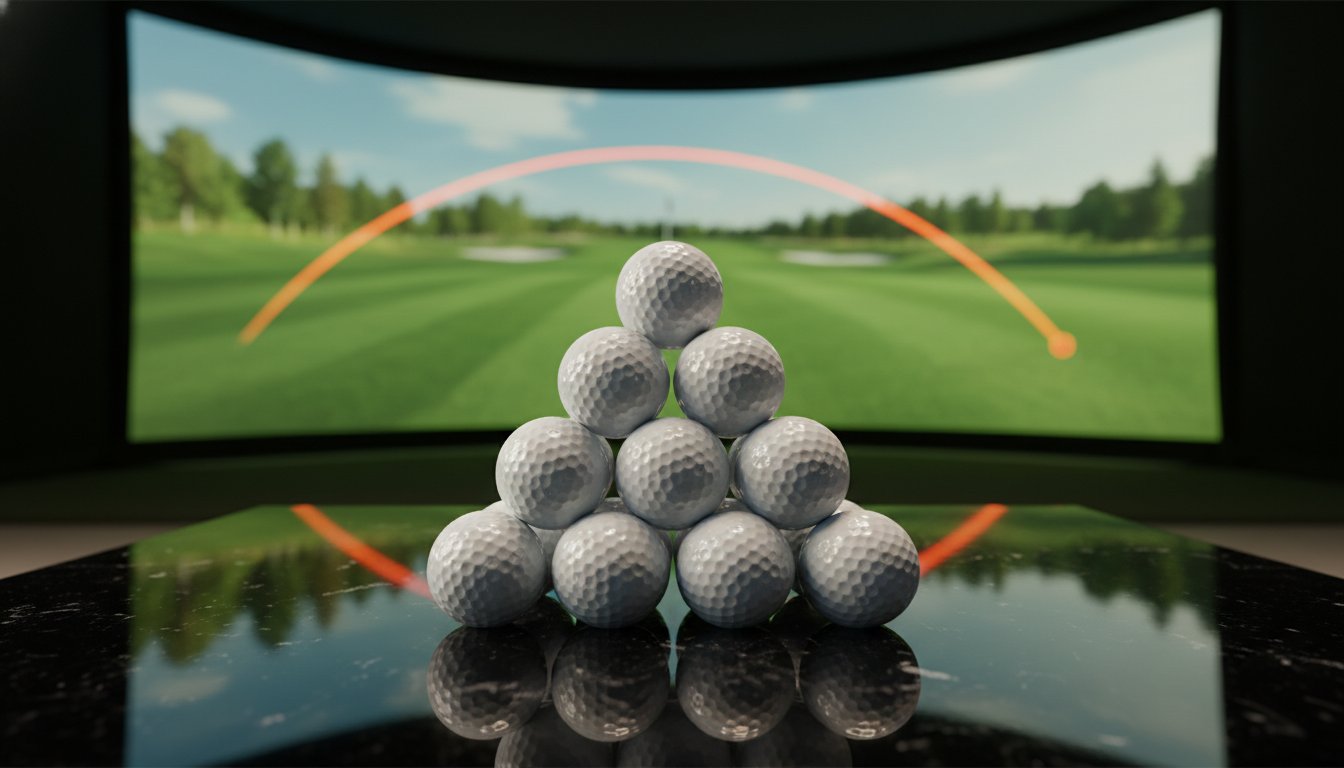
Your expensive impact screen isn’t a dartboard, yet those scuffed-up “bargain” balls are treating it like one. It’s the classic indoor golfer’s dilemma. You want the data accuracy of a premium Titleist Pro V1 or TaylorMade TP5, but you don’t want to burn through a premium dozen every week. Worse, you’re terrified that one tiny scuff will act like sandpaper and shred your screen. We get it. Choosing the right used golf balls for simulator use shouldn’t feel like a gamble with your gear.
You shouldn’t have to sacrifice your bank account or your equipment for a better handicap. This guide shows you how to save thousands on practice while maintaining 99% data accuracy compared to brand-new balls. We’ll dive into the specifics of Mint 5A grading. Learn why certain finishes protect your screen better and how to find the sweet spot between price and performance. It’s time to stop overpaying for air and start practicing like a pro without the pro-shop markup. The Monkey has personally vetted this gear to keep your game sharp and your screen intact.
Key Takeaways
- Stop shredding your expensive impact screen by identifying the surface-level warning signs that turn standard balls into sandpaper.
- Maintain 99% launch monitor accuracy with used golf balls for simulator use that deliver consistent spin without the retail price tag.
- Learn why Mint 5A is the only acceptable grade for indoor play and why “refurbished” balls are a total disaster for your equipment.
- Follow the “Clean Ball” rule to prevent dirt and permanent club tattoos from ruining your hitting surface.
- Score massive savings on premium urethane covers by choosing water-recovered balls vetted by our Texas-based quality control team.
Why Simulator Balls Require a Different Standard
Hitting a ball into a screen isn’t the same as launching one into the blue sky. Outdoors, a tiny scuff might cost you three yards of carry. Indoors, that same scuff is a weapon. We define “Simulator-Grade” balls as having zero surface abrasions. This isn’t just about looking pretty; it’s about mechanical integrity. The physics of impact change when your target is ten feet away. A ball hitting a screen involves intense friction and immediate deceleration. If your ball has a rough “shag bag” texture, it’s acting like 80-grit sandpaper on your impact surface.
Don’t fall for the trap of using beat-up practice balls to save money. The financial math simply doesn’t add up. You might save $30 per dozen by picking up low-grade used golf balls for simulator use, but you’re gambling with a $1,200 impact screen. One jagged wedge mark can fray your hitting surface in a single session. Premium screens are built for impact, but they aren’t designed to survive a cheese grater. Using high-quality Mint 5A balls is the intelligent play for your budget and your gear.
The Sandpaper Effect: Protecting Your Impact Screen
Every time a scuffed ball hits your screen, a mechanical disaster occurs. Microscopic burrs on the cover grab the polyester fibers of the fabric. This creates localized heat. Over hundreds of shots, those fibers fray and snap. You’ll start to see “burn” marks or thinning spots where you typically aim. It’s a slow death for your equipment. Identify “Screen Killers” early. Look for deep scratches, jagged cuts, or rough “burn” marks on the cover. If a ball feels rough to the touch, it belongs in the backyard, not the sim. Only perfectly smooth covers should make the cut for indoor play.
Data Integrity and Sensor Recognition
Your launch monitor is only as smart as the data it sees. Photometric systems like Skytrak or GCQuad rely on high-speed cameras to track dimples and logos. A dirty or refurbished ball with thick, uneven paint messes with these calculations. To get 99% accuracy, you need a pristine cover that matches the original factory specs. Radar-based tracking like Trackman also requires consistent core density to predict flight and spin. Understanding Golf ball design and aerodynamics reveals why a smooth, original urethane cover is non-negotiable. If the sensor can’t read the ball clearly, your yardages will be all over the place. Stick to Mint 5A used golf balls to keep your data honest and your game sharp. The Monkey personally vets every ball to ensure they’re sim-ready and screen-safe.
The Science of Spin: Why Pro V1s Rule the Simulator
Spin is the currency of the golf simulator. If your launch monitor can’t calculate backspin accurately, your 7-iron carry numbers are just expensive guesses. This is where the cover material makes or breaks your practice session. Most cheap distance balls use Surlyn, a hard plastic that’s great for durability but terrible for data. Surlyn covers tend to skid up the clubface indoors. This leads to “flyer” spin rates that don’t reflect your real-world swing. For serious used golf balls for simulator use, urethane is the only answer. It’s softer, stickier, and provides the friction needed for the sensor to clock every single RPM.
Elite players consistently choose Titleist Pro V1 (Mint 5A) for their home setups because of predictability. When you’re hitting into a screen, you lose the visual feedback of a ball’s flight. You’re 100% dependent on the machine. If you switch between different ball types, your data becomes a mess. Sticking to a premium used ball ensures your indoor “feel” translates perfectly to the first tee. You get the same click off the putter and the same check on your chips. It’s about building muscle memory that actually works when you leave the basement.
Urethane Covers and Launch Monitor Accuracy
High-speed cameras need a clear look at the ball’s surface to calculate movement. Premium urethane covers allow sensors to “grip” the data points more effectively than shiny, hard plastics. The specific dimple patterns on these balls are baked into the flight algorithms of top-tier monitors. If you want the most realistic descent angles and rollout, you need the real deal. Check out our Titleist Pro V1: The Ultimate Guide to see how these layers work together to stabilize your numbers.
Durability Testing: How Many Hits Can a Used Pro V1 Take?
A Mint 5A ball is the gold standard for longevity. In a high-volume simulator environment, a single Pro V1 can easily handle 300 to 500 strikes before the cover starts to fatigue. Watch for the “dull thud” sound. That’s a sign of internal core failure. Cheap “practice” range balls often crack internally after fifty high-speed impacts. Premium used balls maintain their structural integrity much longer. They offer a better return on investment and more reliable yardages over time. Grab a batch of Mint 5A used golf balls and stop worrying about your gear. The Monkey ensures every ball in your bag is ready for the long haul.

Grading for Simulators: Mint 5A vs. The Rest
Don’t treat a grading scale like a suggestion. It’s a survival guide for your simulator setup. When shopping for used golf balls for simulator use, the grade determines if you’re hitting a pro-level sphere or a screen-shredding projectile. Most retailers use a 1 to 5 scale, but for the indoor golfer, the only number that matters is 5. Anything less is a gamble with your equipment.
Refurbished balls are the ultimate simulator villain. They are stripped of their original clear coat and repainted to look new. This paint is brittle. Upon impact with a screen at high speeds, that paint can flake off or leave permanent streaks on your expensive white fabric. They also hide micro-cracks that lead to erratic flight and “dull thuds.” Stick to recycled balls. These are recovered, washed, and sorted without any structural tampering. Check out our detailed breakdown on Decoding Grades: What Mint 5A Really Means to see how we filter out the junk.
The Mint 5A Standard: What to Expect
Mint 5A is the pinnacle. Expect a ball that looks and plays like it just came out of a fresh sleeve. You want no scuffs, no cuts, and the original factory luster. Savvy shoppers look for “Logo Overruns.” These are often brand-new balls with a corporate logo that hit the water on their very first flight. Our professional divers pull these “fresh” covers from the water before the sun can degrade the urethane. It’s the smartest play in the game. You get a new ball feel at a fraction of the cost, ensuring your launch monitor reads the dimples exactly as the manufacturer intended.
Why to Avoid 3A (Good) and 4A (Near Mint) Indoors
3A and 4A balls are fine for the local field, but they’re a hazard for the sim. Small scuffs act as heat-generating abrasives against your screen fibers. Even worse is ink transfer. A scuffed logo or a sharpie mark on a 3A ball can “tattoo” your impact screen on contact. Once that ink is on your screen, it’s there for good. These lower grades also have aerodynamic inconsistencies. Your launch monitor might misread the spin axis because of a minor cover blemish. Save the lower grades for the outdoor net and keep your indoor practice sessions pristine. Grab a bucket of Mint 5A used golf balls to keep your data honest and your screen white. The Monkey personally vets every ball to make sure it meets the 5A standard before it ever reaches your mat.
Maintenance: Keeping Your Simulator Balls Sim-Ready
Buying the right gear is only half the battle. If you don’t maintain your inventory, even the best used golf balls for simulator use will eventually turn on you. The golden rule is simple: never hit a dirty ball. One tiny speck of dried mud or a single blade of grass acts like a diamond-tipped drill bit when it hits your screen at 150 mph. It doesn’t just stain the fabric; it severs the fibers. Keep a microfiber towel next to your mat. Give every ball a quick wipe before it joins the “active” pile. It’s a five-second habit that saves you a thousand-dollar headache.
Rotation is your secret weapon against cover fatigue. Don’t hit the same three balls for an entire hour. Urethane covers generate significant friction heat upon impact. If you hammer the same ball repeatedly, the cover softens and becomes more prone to “club tattoos” and scuffing. Cycle through a dozen balls during your session. This allows the material to cool down and maintains the structural integrity of the core. Store your stash in the same climate-controlled room as your sim. Extreme garage temperatures can mess with ball compression, leading to “dead” feel and wonky launch data. The Monkey recommends keeping your gear at room temperature for the most consistent carry numbers.
The 30-Second Inspection Routine
Develop a “pro-eye” for cover health. Every few sessions, perform the Fingernail Test. Run your nail across the surface of your balls. If you feel a snag, a burr, or a jagged edge, that ball is officially retired from indoor use. Check for “out of round” issues by spinning the ball on a flat surface. If it wobbles like a top, the internal balance is shot. These duds will give you “ghost” hooks and slices that aren’t actually your fault. Move these to your outdoor shag bag immediately. Your screen and your sanity will thank you.
Removing Markings and Stains
Sharpie marks are the silent killers of white impact screens. If you use balls with alignment lines, ensure the ink is 100% dry and permanent. Better yet, use 91% isopropyl alcohol to strip off old markings before they can transfer to your screen. Avoid harsh chemicals like acetone, which can eat through the clear coat and ruin the aerodynamics. For more tips on keeping your setup pristine, check out our guide to Golf Ball Accessories. Ready to restock with gear that actually passes the test? Grab a fresh batch of Mint 5A balls from Golf Ball Monkey today.
The Monkey Play: Why Our Mint 5A Balls Win the Sim Game
Finding the right used golf balls for simulator use shouldn’t feel like a side quest. We’ve simplified the process by going straight to the source. Most used ball retailers buy from massive wholesalers who let inventory bake in the sun for months. Not us. We work with professional divers who pull these gems directly from the water. This “Fresh from the Water” approach preserves the urethane cover. It prevents the UV damage that makes covers brittle and prone to cracking against your screen. It’s the intelligent play for anyone who hits hundreds of balls a week.
Our operation is rooted in Texas. Every single Titleist Pro V1 and premium ball passes through a rigorous quality control process right here. We don’t just glance at them. We vet them against the strict Mint 5A standard. This focus on performance makes us the top choice for high-volume hitters and commercial simulator centers. Choosing recycled gear isn’t just about the massive savings. It’s a win for the planet too. You’re keeping high-grade materials out of landfills while maintaining a tour-level practice environment. It’s sustainability without the performance tax.
Direct from the Divers to Your Door
We cut out the middleman to keep your costs down. By sourcing directly, we ensure you never receive “refurbished” junk. As we’ve established, those repainted duds are total screen-killers. Our Texas roots mean we understand durability in high-heat environments. We only ship balls that can handle the friction of a high-speed impact. The Monkey promise is simple: if it isn’t Mint 5A, it doesn’t touch your screen. You get the same launch data as a new ball for a fraction of the retail price. It’s a savvy move for your game and your wallet.
Start Your Simulator Season Right
New to the sim world? Don’t wait for your first screen tear to upgrade your inventory. We recommend starting with a “Sim Starter Pack” of mixed premium urethane balls. This lets you test different models on your specific launch monitor to see which spin numbers look best. Once you find your favorite, set up a recurring restock. This ensures you always have a fresh rotation and never resort to hitting “dead” balls with compromised cores. Stop overpaying for air and start practicing with purpose. Shop our Mint 5A Simulator-Ready collection now!
Master Your Indoor Game Today
Your simulator is a major investment. Don’t let a few scuffed balls turn it into a maintenance nightmare. You now have the blueprint for picking the perfect used golf balls for simulator use. Stick to Mint 5A urethane covers to protect your screen and keep your launch data honest. Remember the clean ball rule. Rotate your stash to keep friction heat down. Most importantly, stop paying retail prices for gear that hits a net ten feet away.
We take the guesswork out of the equation so you can swing with total confidence. Every ball we sell is Professional Diver Sourced and undergoes Strict 5A Mint Grading. We are a Texas-Owned & Operated shop that understands the grit and grind of daily practice. It’s time to stop worrying about your equipment and start focusing on your swing. You’ve done the research. Now it’s time to make the intelligent play for your budget and your handicap.
Score Tour Performance for Sim Prices — Shop Mint 5A Now!
Keep grinding. We’ll see you on the leaderboard soon.
Common Questions About Simulator Golf Balls
Will used golf balls damage my simulator impact screen?
Used balls only damage screens if they have surface scuffs, cuts, or jagged burrs. These imperfections act like sandpaper and fray the polyester fibers upon impact. Stick to Mint 5A used golf balls for simulator use to ensure a smooth surface that protects your hitting area. High-quality recycled balls are just as safe as new ones if the cover is pristine.
Do used golf balls provide accurate data on launch monitors like GCQuad or Trackman?
High-quality used balls provide roughly 99% data accuracy compared to brand-new ones. Launch monitors rely on tracking dimples and logos to calculate spin and launch angle. As long as the cover is original and not repainted, the sensors will read the ball correctly. Avoid refurbished balls; their thick, uneven paint can confuse sensors and lead to inconsistent yardages.
What is the best grade of used golf ball for simulator use?
Mint 5A is the only grade you should use for high-end indoor setups. This grade ensures the ball has its original factory luster and zero surface abrasions. It’s the intelligent play for protecting your $1,200 impact screen while maintaining the exact spin characteristics you’d expect from a tour-level ball.
Can I use refurbished golf balls in my simulator?
Never hit refurbished balls into an impact screen. The repainted covers are often brittle and flake off at high speeds. This paint debris can get embedded in your screen fibers and leave permanent, ugly stains. Refurbished balls also hide internal cracks that lead to erratic flight and “ghost” hooks in your data.
How many hits can a used Pro V1 take before it needs to be replaced?
A premium used Pro V1 typically handles 300 to 500 strikes before the core starts to fatigue. You’ll know it’s time to retire the ball when you hear a dull thud instead of a crisp click. Watch for “burn” marks on the cover; these are signs that friction heat is breaking down the urethane.
How do I clean used golf balls for indoor use?
Use a microfiber towel and 91% isopropyl alcohol to remove dirt and old ink. Never hit a ball that has even a speck of dried mud or grass on it. These particles act like tiny drills that sever the fabric of your screen. Clean balls ensure a white screen and honest data every time you swing.
Why do some used balls leave marks on my simulator screen?
Marks are usually caused by “ink transfer” from scuffed logos or fresh Sharpie lines. High-speed friction can also cause “club tattoos” where the ball’s cover briefly melts into the screen fibers. Rotating your inventory every few minutes keeps the balls cool and prevents these permanent marks from forming.
Is there a difference between recycled and refurbished golf balls for sims?
Recycled balls are simply recovered, washed, and sorted by grade. Refurbished balls are stripped of their original finish and repainted to look new. For simulators, recycled is the only way to go. You need the original factory cover to ensure the launch monitor reads the spin axis and aerodynamics exactly as the manufacturer intended.
- golfballmonkey@gmail.com
- (512) 593-8401
- Mon – Fri, 9:00 AM – 5:00 PM

All product and company names are trademarks™ or registered® trademarks of their respective holders.
Use of them does not imply any affiliation with or endorsement by them.